01 · The problem
Why this exists
It is easy to lose track of an intention when the timer is hidden in another tab. Focus tools can add their own distractions: crowded dashboards, rigid routines, or pressure to keep a streak alive.
Focus & attention
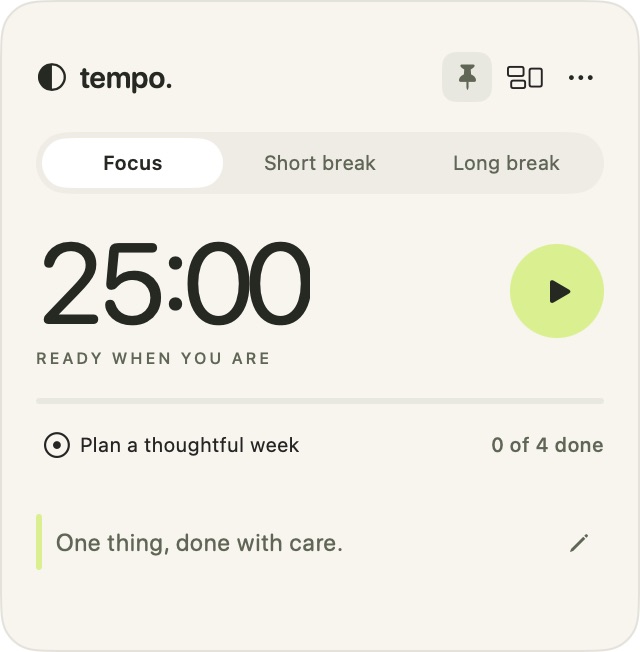
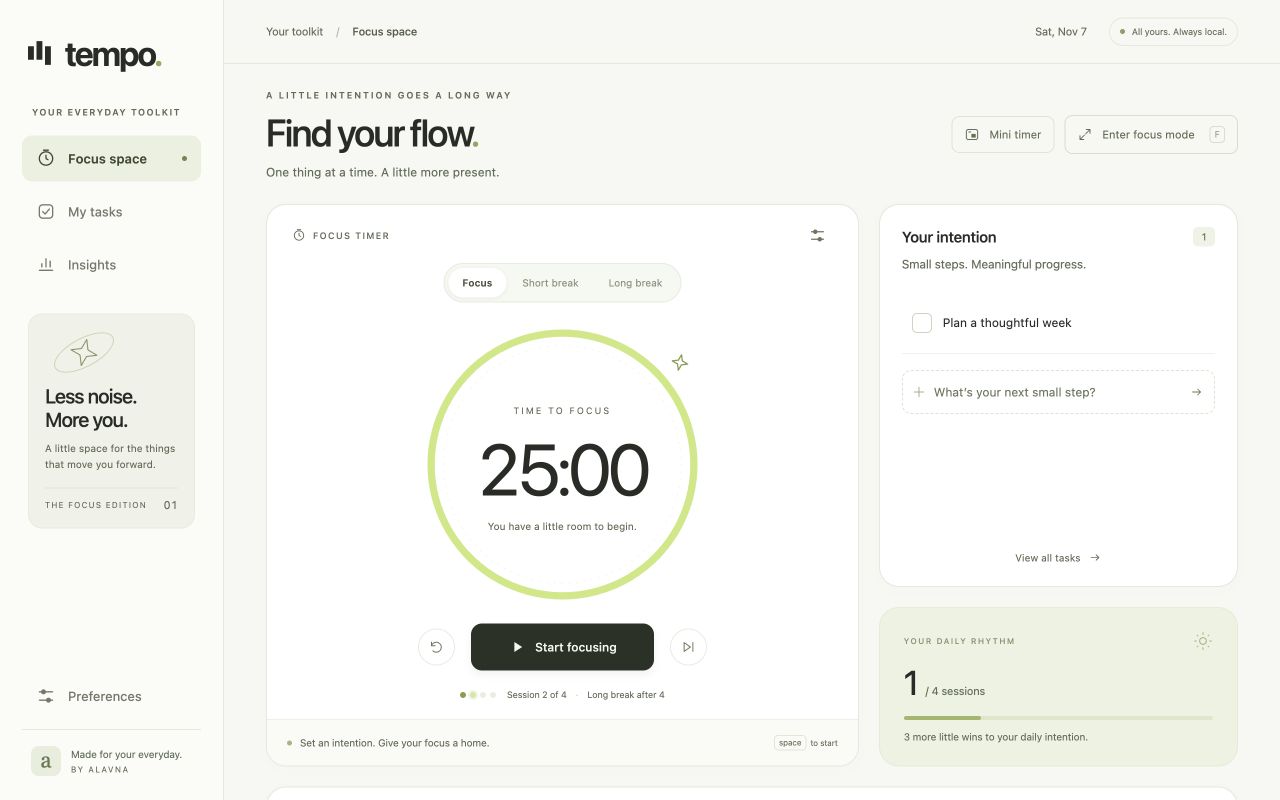
Tempo makes a little room for focused work. Choose one thing, start a session, and keep a small timer in view. A Chrome workspace brings together tasks and progress, while the Mac app floats wherever you work in three sizes—with a quiet reminder or a motto of your own.
Made to stay in view
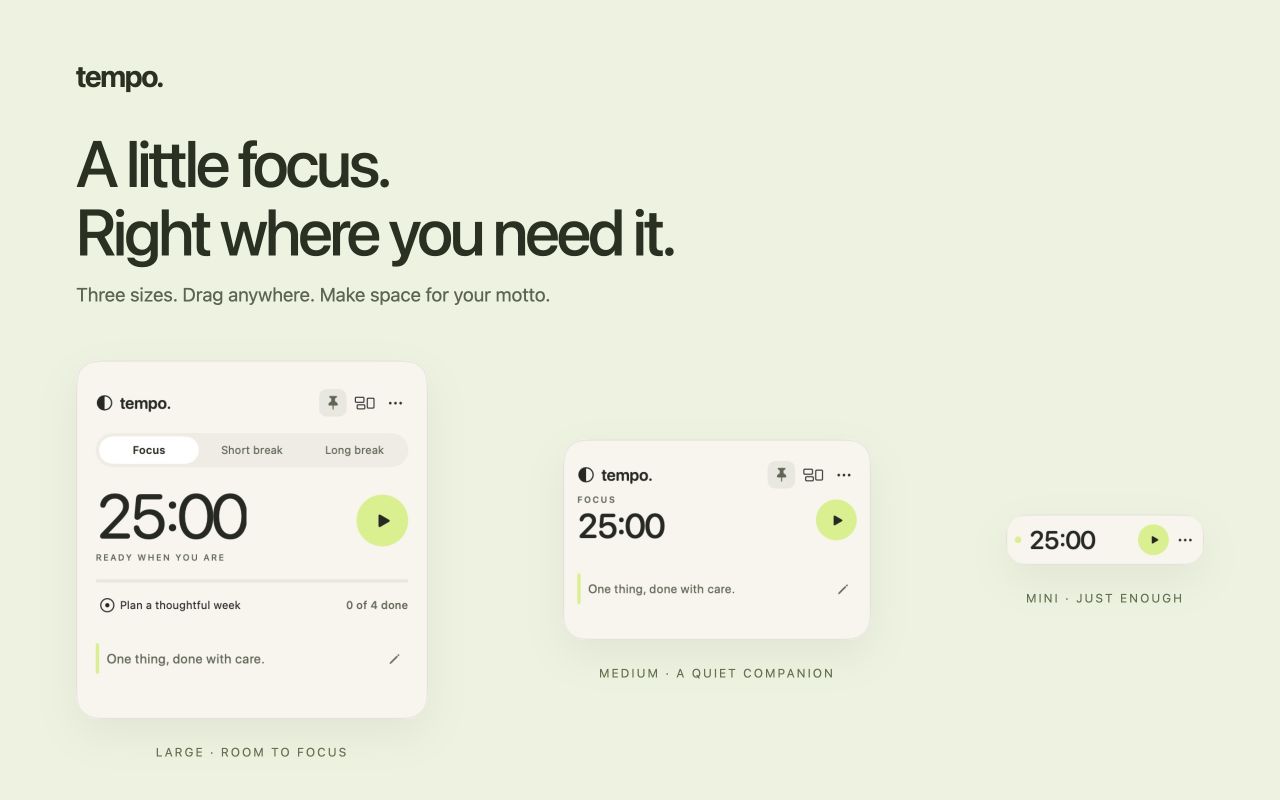
Pick a size, drag it into place, and make it yours. Large and Medium leave room for a reminder or a personal motto. Mini keeps just the time and essential controls.
A considered first release
Tempo is in pre-release testing. Chrome Web Store and Mac App Store downloads will be linked here when available.
Both apps work independently. When paired, keep the Mac app open; Chrome’s mini timer needs its workspace tab to stay open.
01 · The problem
It is easy to lose track of an intention when the timer is hidden in another tab. Focus tools can add their own distractions: crowded dashboards, rigid routines, or pressure to keep a streak alive.
02 · The approach
Keep the next step visible and the rhythm flexible. Tempo starts with a 25-minute focus session and short or long breaks, lets you choose your pace, and waits for you before starting the next session. Optional local pairing lets Chrome and the Mac app share one timer and completed history on the same computer.
03 · The product
A Pomodoro rhythm with adjustable focus and break durations, tasks, and a daily intention
A draggable Mac timer in Large, Medium, and Mini, with optional always-on-top placement
Focus reminders or your own motto in the two larger Mac sizes
Completed-session history, a seven-day focus view in Chrome, and history export
Optional sharing of the timer, tasks, and completed sessions between Chrome and Mac
A Chrome mini timer and locally generated ambient sounds in the open workspace
Built around
More work